AppleXsoft Hard Drive Copy
Ready to upgrade your laptop or desktop computer to a SSD Drive? Replacing your old hard disk? or Backing up your Windows and data ?
AppleXsoft Hard Drive Copy is an advanced disk image migration software to copy a hard disk or partitions and
creates exact bootable clone of your hard drive with a few easy steps.
When you have a hard disk without enough free space, you can easily use this Hard Drive Copy to migrate the Windows OS, files, programs in the disk to a new hard disk which has normally larger and higher performance. As AppleXsoft Hard Drive Copy migrates the original drive image to the new disk, you do not need to do the tedious process such as re-installing the OS and applications, updating them, setting up each configurations, etc.
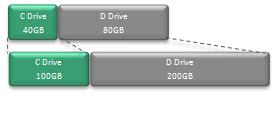
With the Auto Expansion function, the partitions on the source disk will be expanded proportionally to the destination disk.
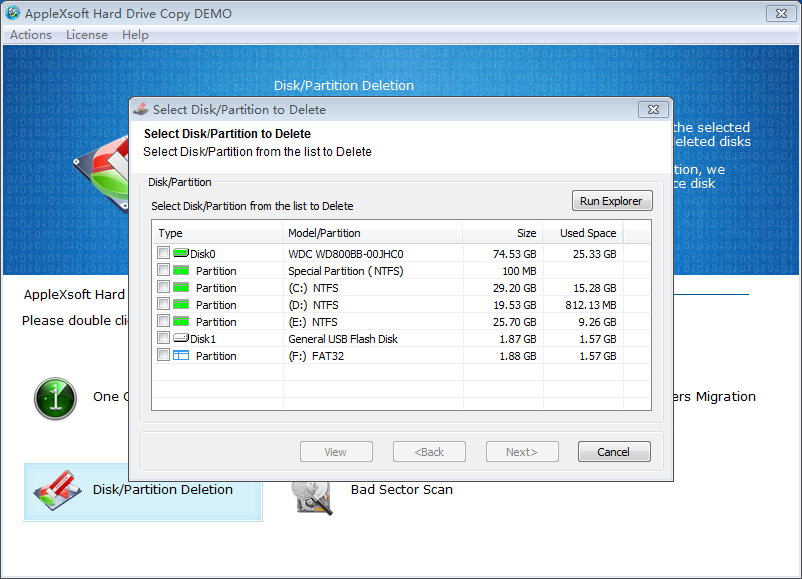
After the migration is complete, Hard Drive Copy also has a secure data wipe function to delete the source disk or partition completely. After the secure deletion, the data on the source will be permanently deleted and cannot be recovered by any data recovery software.
While copying data, as AppleXsoft Hard Drive Copy reconstructs each file structure, after the migration is complete, the destination has the same effect of de-fragmentation and performs better and more stable than before.
 the quickest way to migrating Windows system to a new hard drive!
I just finished migrating Windows and programs from an old hard disk to a larger disk using your Disk Copy. It worked exactly as advertised. Thank you for a simple and effective solution !
 ---------- by Talia Evans on March. 23, 2019
AppleXsoft Hard Drive Copy Main Functions & Features:
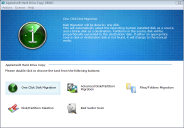
- 3 Simple Steps to complete a disk/partition migration.
- One Click Copy - In most cases, the destination disk is "Unallocated". In that case, you can just operate the copy by one click.
- Cloned SSD or Hard drive is fully defragged to ensure maximum performance.
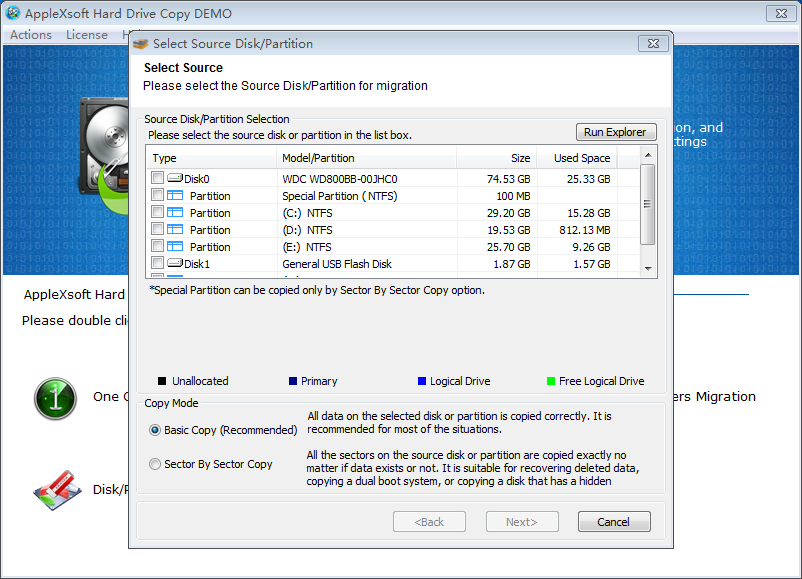
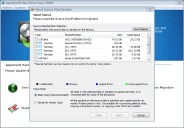
- Disk or Partition Migration: Data copy works from Disk to Disk, from Partition to Partition, or from Partition to Disk. You can use the destination disk or partition that is smaller than the source size. *The size of the destination should be larger than the used size in the source.
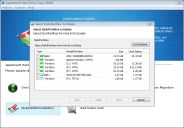
- Partition Copy - Especially if the destination is SSD, the destination may not have enough size in the entire disk copy. In that case, you can just copy the system drive to SSD in order to use SSD as a system disk.
- Auto Expansion - Partitions on the source disk will be expanded proportionally to the destination disk.
- Files/Folders Copy - Files and Folders can be copied with keeping the original timestamps and attributions.
- Sector by Sector Copy - Unallocated area, Dual Boot environment, Invisible partition by Windows, etc. can be copied.
- Automatically Expands partitions to fit the new hard drive.
- All common hard drives supported including IDE, RAID, Serial ATA, SCSI, and SSD drive.
- Permanent Data Deletion - After the migration, you can securely wipe all data in the source disk completely.
- Copy works while Windows is running - Hard Drive Copy supports VSS. While Windows is running, the copy process works in the background. * The files and folders after the copy starts cannot be copied.
- No special startup disks needed.
- Detect bad sectors.
- Easy-to-use wizard interface quickly guide you through the process step-by-step.
- Free technical support.
- and many more!
› Supported Bootable OS after migration: Windows 10/8/7/Vista/Windows XP.
› Supported Disk: IDE, SCSI, SATA, RAID, and SSD.
› Supported File Systems: FAT16/32, NTFS, Linux Ext2/Ext3/ReiserFS, LinuxSwap
› Partition Expansion is not supported for Linux Ext2/Ext3/ReiserFS, LinuxSwap.
System Requirements:
- OS: Windows 10, 8, 7, Vista.
- Latest Service Pack should be installed in each OS.
- To operate the application, administrator privilege is required.
- The application works as a 32 bit application in 64bit OS.
- CPU: Intel Pentium II 300MHz or later
What's new in latest version 3.0.3.1:
- Fixed problem with unbootable Windows 7 after migration to another HDD.
- Fully support Windows 10.
- Securely wipe all data from source disk.
Hard Drive Copy Screenshots:
Our Awards:


 |
Fortunately, with Hard Drive Copy, any user with no experience can do a disk cloning from the old hard disk to the new one with one single click.
---- By ITProStuff
|